SuperClicker
A downloadable Tool for Windows
🪖 SuperClicker — Utility Tool
A lightweight automation tool built for the 82DK Regiment — now available for everyone.
Version: v1.1
Created by: Bacon Prime
Originally built as a personal project — now shared publicly for anyone who finds it useful.
🎯 What is SuperClicker?
SuperClicker is a compact, always-on-top utility designed to make repetitive tasks in Foxhole (and other games) easier.
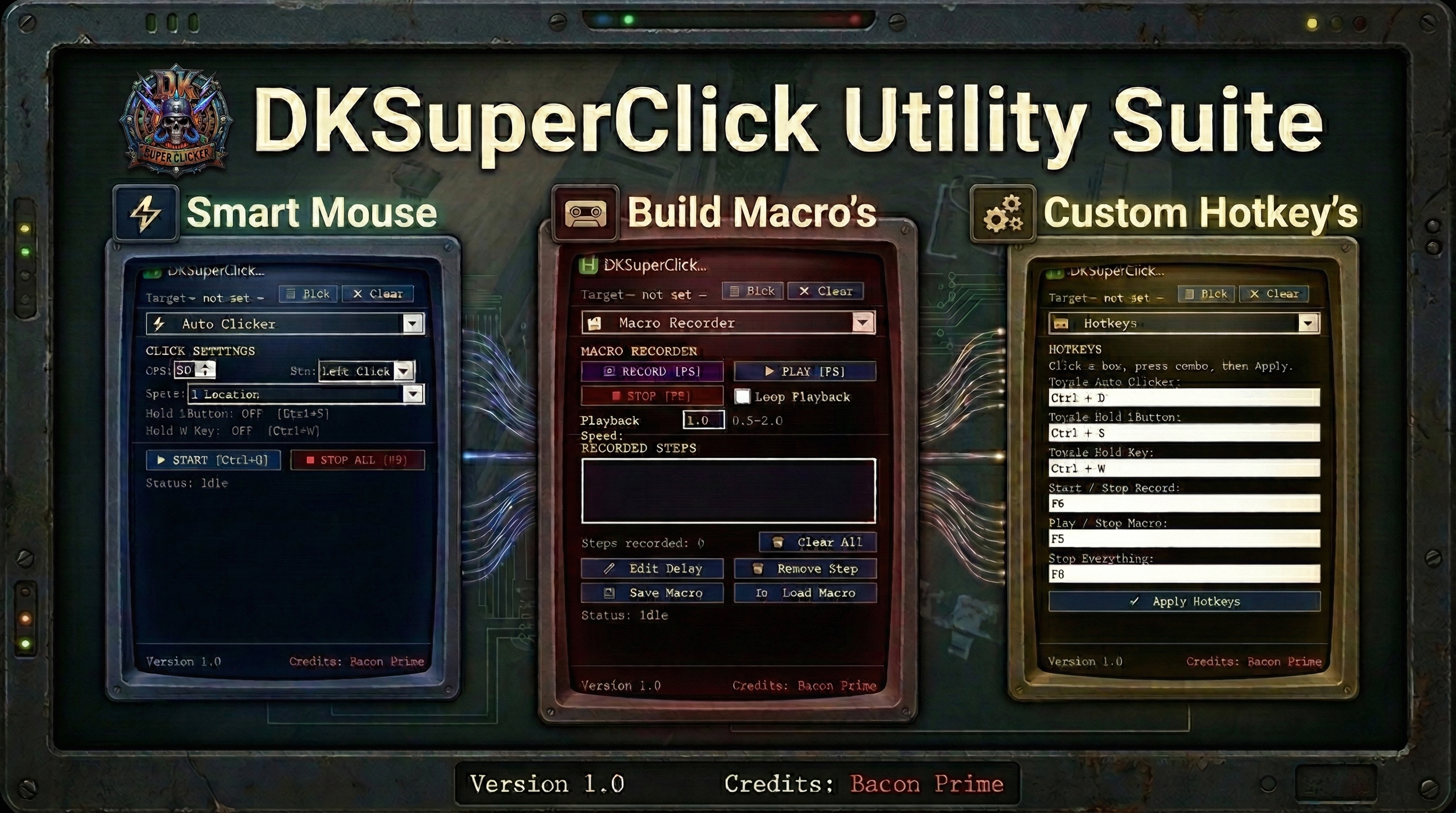
It includes an auto-clicker, hold-key system, and a full macro recorder — all wrapped in a small, optimized UI that stays out of your way during gameplay.
📦 Setup
- Download
- Double-click the file to run it
- A small dark window will appear — it stays always on top for convenience but should be minimized.
🖱️ Auto Clicker
- Set your clicks per second (50 by default)
- Can pick up to 4 click spots on your screen:
- Left-click to place
- Right-click to cancel mid-pick
- Clear removes all saved spots
- Toggle the clicker with your assigned hotkey
Note: The window stays minimized when toggled — it won’t pop up during gameplay.
⌨️ Hold Key
- Type any key you want to hold (
w by default) - Toggle the hold on/off with a hotkey
Great for movement on long straight journeys.
🎥 Macro Recorder
Record and replay full sequences of mouse clicks and key presses.
Recording
- Pick your target window
- Press Record
- Press Stop when finished
Playback
- Press Play to run the macro
- Enable Loop for continuous playback
- Adjust Speed from 0.5× to 2.0×
Editing
- Click a step to select it
Ctrl+ClickorShift+Clickto select multiple- Edit Delay to change timing (single or batch)
- Remove Step deletes one or many at once
Saving / Loading
- Save macros as
.dkmacro - Load them anytime
⚙️ Hotkeys
All hotkeys can be customized.
| Action | Default |
|---|---|
| Toggle Auto Clicker | Ctrl + D |
| Toggle Hold LButton | Ctrl + S |
| Toggle Hold Key | Ctrl + W |
| Start / Stop Record | F6 |
| Play / Stop Macro | F5 |
| Stop Everything | F8 |
⛔ Emergency Stop
Press F8 (or custom hotkey) to instantly stop:
- Auto clicker
- Hold key
- Macro playback
🏆 Credits
- Bacon Prime — Developer
📥 Installation Notes
- Backup your old macros (
macros/folder) - Download
- Launch and enjoy the new compact UI
Download
Click download now to get access to the following files:
Development log
- 1.1 update1 day ago
- 1.0 update1 day ago